
How are points selected for support points in an extreme triathlon?
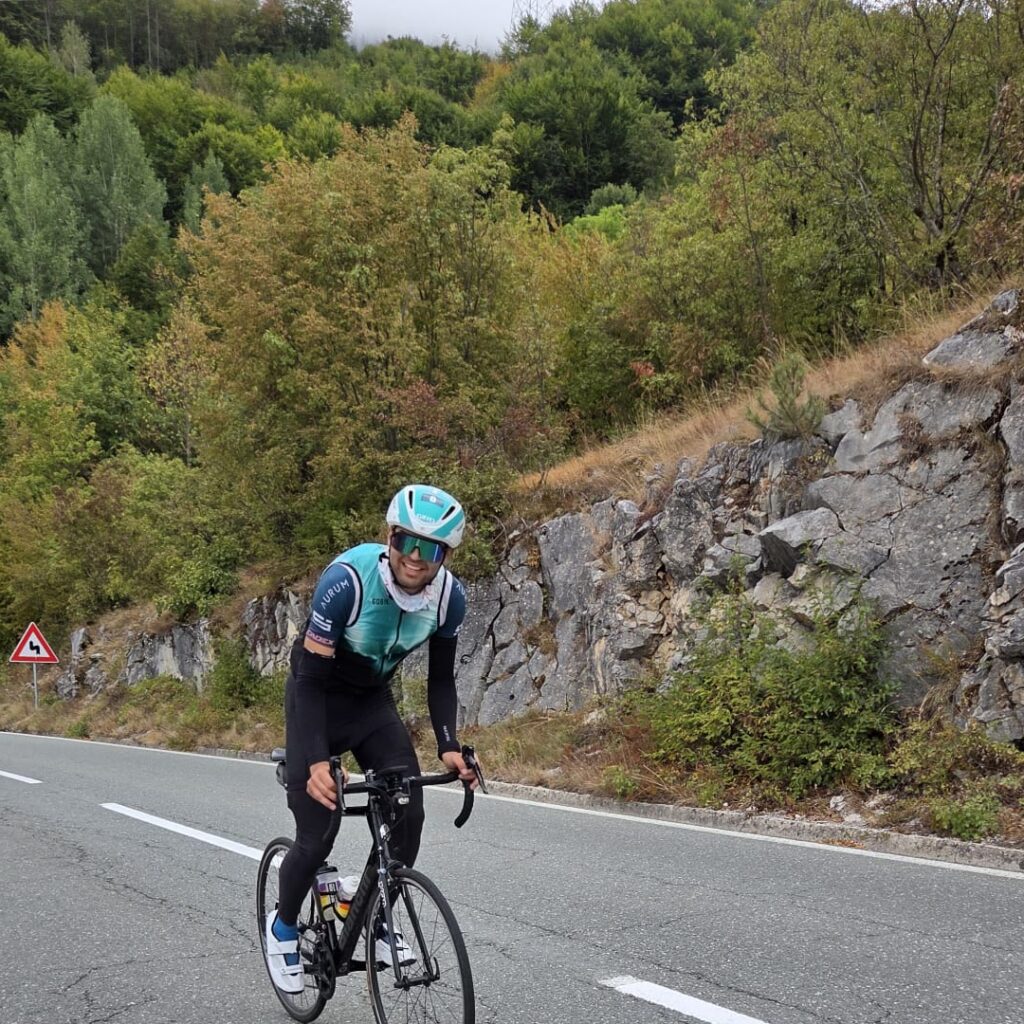
This year, on 12.9.2027, I participated in my first full-distance extreme triathlon. The same distance as Ironman, but with more hills. Specifically, this was Blacklake in Montenegro – swimming at 4:30 in the morning, 182km cycling with 3200m elevation gain and 42km running with another 1500 meters uphill.
And one very big difference compared to everything I've been to so far – there are practically no support points along the route. Each competitor is obliged to organize their own support. This turned out to be a completely new challenge for me and the team – how, where and when should the team wait for me and what exactly should they give me? And on top of that – how can I estimate the hours of passage when the route is so much climbing and descending?
That's why I'm writing this article - so that anyone who decides to tackle something similar in the future can at least partially skip over my/our mistakes.
Selecting maintenance points
The first thing we did was load the GPX file of the track into gpx.studio, to see the profile and elevation gain. With 3200m of climbing on the bike stage and another 1500m on the run, we couldn't rely on random stops. Each point had to correspond to a specific climb or descent, and the distance between them had to be in line with how slowly (or quickly) we expected to move in the different sections. It turned out to be most sensible to place the stops immediately after any major climb – the speed is the lowest there, you usually need to change clothes (I'm warm from the climb, and there's a descent ahead), and mentally after a tough climb it's good to see a familiar face and get something to eat.
For the 2026 Black Lake route, we used exactly these points.
- Cycling (180 km / 3500m D+) – ROUTE
- Running – Black route (Black shirt)
- Running – White track (White shirt)
Check points on Google Maps
Each selected support point went through a Google Maps check, including a satellite view. In many places, we had to move them slightly to have a safe place to stop a car and convenient access to the route. Here, the organizer's requirement was categorical - the car must be completely off the road, and the team can only assist outside the car. In places, the road turned out to be too narrow to be able to stop off the road at all, and at times we found that the car itself would drive right along the cycling route - which also required moving the point. We also checked how exactly the team would get to each place by car - with a mountain like the one in Montenegro, this is not always obvious.
Travel time between points
This was where we faced our biggest challenge. With so much elevation gain, my pace varied dramatically – I was going much faster on the descents than on the climbs, and the team had to calculate precisely whether they would be able to leave one point and arrive at the next before me. At several points we decided it was wiser to skip a point than to rely on a schedule that was difficult to follow.
General map with all support points
We downloaded the GPX file of the race course from the organizers„ website and created a new “My Map” in Google Maps. This way, the course and all the support points were visible in one place – important since there were no official checkpoints to rely on and everything had to be planned in advance by us.
Numbering and notes for each point
We numbered the support points sequentially along the route and added a short note to each one – what exactly they should give me there. In a race without official support, this turned out to be important – with so many non-repeating stations, it was important to have everything in the right sequence – clothes, food, water.
Preparing to work without the Internet
Google Maps doesn't support "My Maps" in offline mode, and in the mountains of Montenegro the coverage was sometimes very weak. Just in case, we exported the map and loaded it into the app as Organic Maps, which allows offline navigation with GPX/KML files. This turned out to be really useful.
Copy to more than one device
The support point map was loaded on more than one device in the team. A dead battery or broken phone in a race like this could mean I wouldn't get support at a point at all - a risk that wasn't worth taking.
Final review with the competitor
The day before the start, we went through each support point together and wrote out a clear plan of what exactly was expected at each location – water, food, equipment, or other. In a race where you organize your own support, this is not a recommendation, but a mandatory step. The goal was that on the day of the race, the team would not improvise, but would follow a previously verified plan. Which of course does not mean that improvisations were absent… But at least they were minimized.
Besides them – I also discussed at what kilometer I would expect them. It was especially helpful psychologically on yet another endless hill to know that there were still XX kilometers left before the stop.
Backup plan
In addition to the exact plan for each point, the team and I had also discussed a backup option.
- What happens if we do miss a point?
- What if it rains right where we planned to stop?
At each point, they had something extra "on standby." Something we hadn't specifically planned for her, but might need: extra gel, a windbreaker, sleeves or leggings, a spare tire.
It was this small reserve that proved quite useful at more than one place along the route.
Blacklake showed me that in an extreme triathlon with no official support points, planning logistics is just as much a part of the preparation as the training. If you ever decide to take on a similar challenge, I hope this article saves you at least some of the headaches we went through.
